Introduction

A esp32 microcontroller based BLE Beacons cloner that uses esp32 device to scan for nearby BLE Beacons and than clone and advertise exactly similar BLE Beacons and behave like similar BLE Device. If you want to contribute to this project, feel free to contact by mailing to 'siayam@ethhacks.net'. Also, This tool is completely for educational purposes.

  • Build using ESP-IDF v6
  • Tested On: Esp32 Wroom
  • Firmware Flashing Tool: Esptool
Hardware Requirements
  • An ESP32 board.
  • USB cable - USB A / micro USB B.
  • Computer running Windows, Linux, or macOS.
Installation

For Flashing Ethhacks BLE Cloner, use Esptool. To install Esptool, first install python in your computer. Then, to install Esptool use below command.

    >> pip install esptool

After install Esptool you can use below command to flash Ethhacks BLE Cloner:

    >> python -m esptool --chip esp32 -b 460800 --before default_reset --after hard_reset write_flash --flash_mode dio --flash_size 4MB --flash_freq 40m 0x1000 bootloader.bin 0x8000 partition-table.bin 0x10000 ethhacks_ble_cloner.bin 0x210000 storage.bin

Note: Change Chip, Baud Rate and Flash Size in above command according to your esp32 microcontroller. But make sure Ethhacks BLE Cloner will not work for flash size less than 4MB.

Usage
  • After flashing the Ethhacks BLE Cloner using Installation instruction and powering the esp32 microcontroller, you will "MyESP32AP" access point in on your computer or mobile phone.
  • Connect to it using "password" as password for that access point.
MyESP32AP password
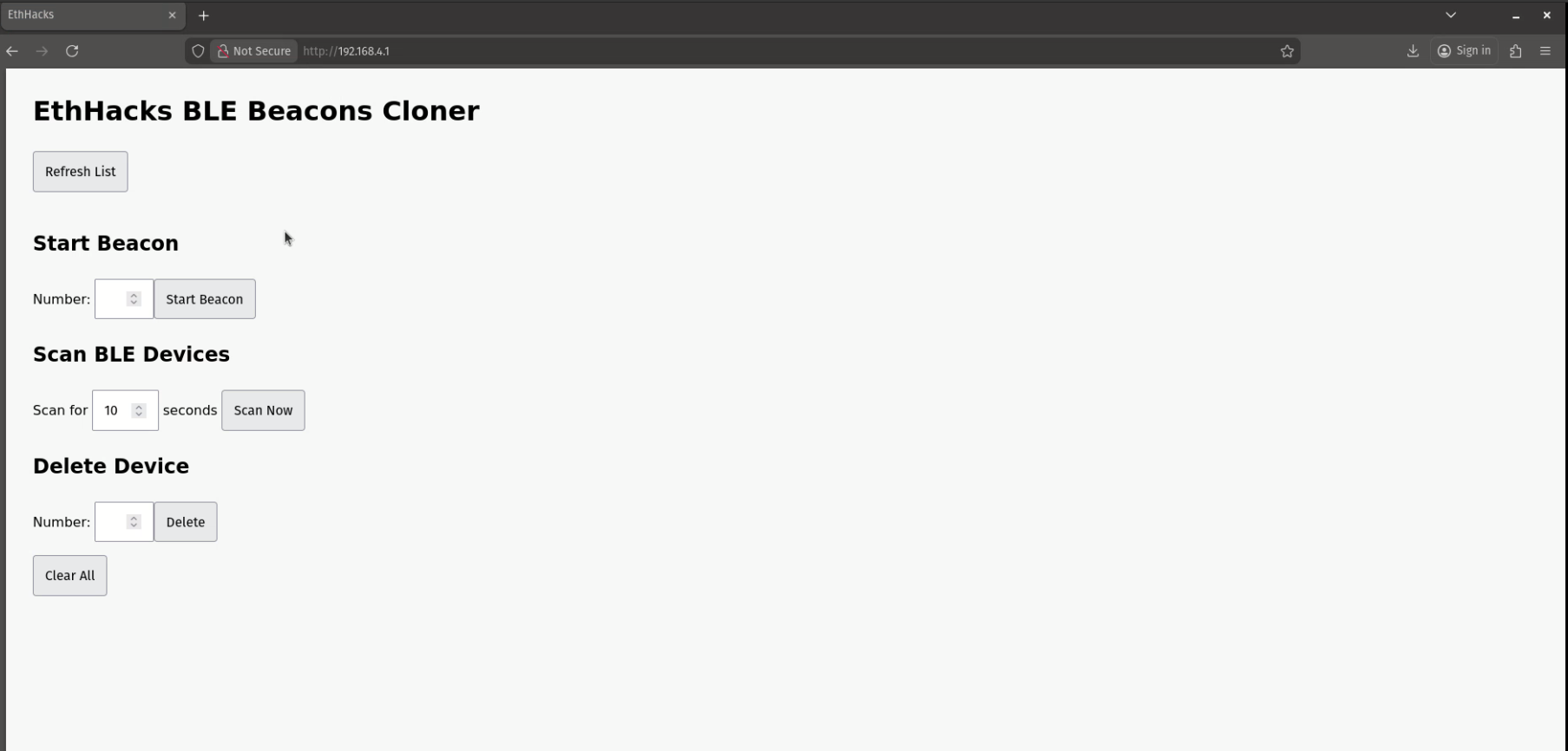
  • Open the web browser and visit "http://192.168.4.1"
BLE Cloner Web UI
  • Scan for nearby ble beacon devices by selecting time for scanning and clicking on "Scan Now" button.
  • Scan devices will be show as list with corresponding numbers, if not, click on "Refresh List" button.
BLE Cloner Web UI
  • You can delete devices by providing corresponding number of that device and clicking on "Delete" button. Or if want to clear complete list, click on "Clear All" button.
  • In order to start the clone of a device present in scanned devices list, provide its corresponding number and click on "Start Beacon" button. Your Esp32 MIcrocontroller will start advertising exactly similar BLE beacons and behave like similar device.